
Skitso
-
Posts
3,218 -
Joined
-
Last visited
-
Days Won
110
2 Followers


Recent Profile Visitors
24,628 profile views



-
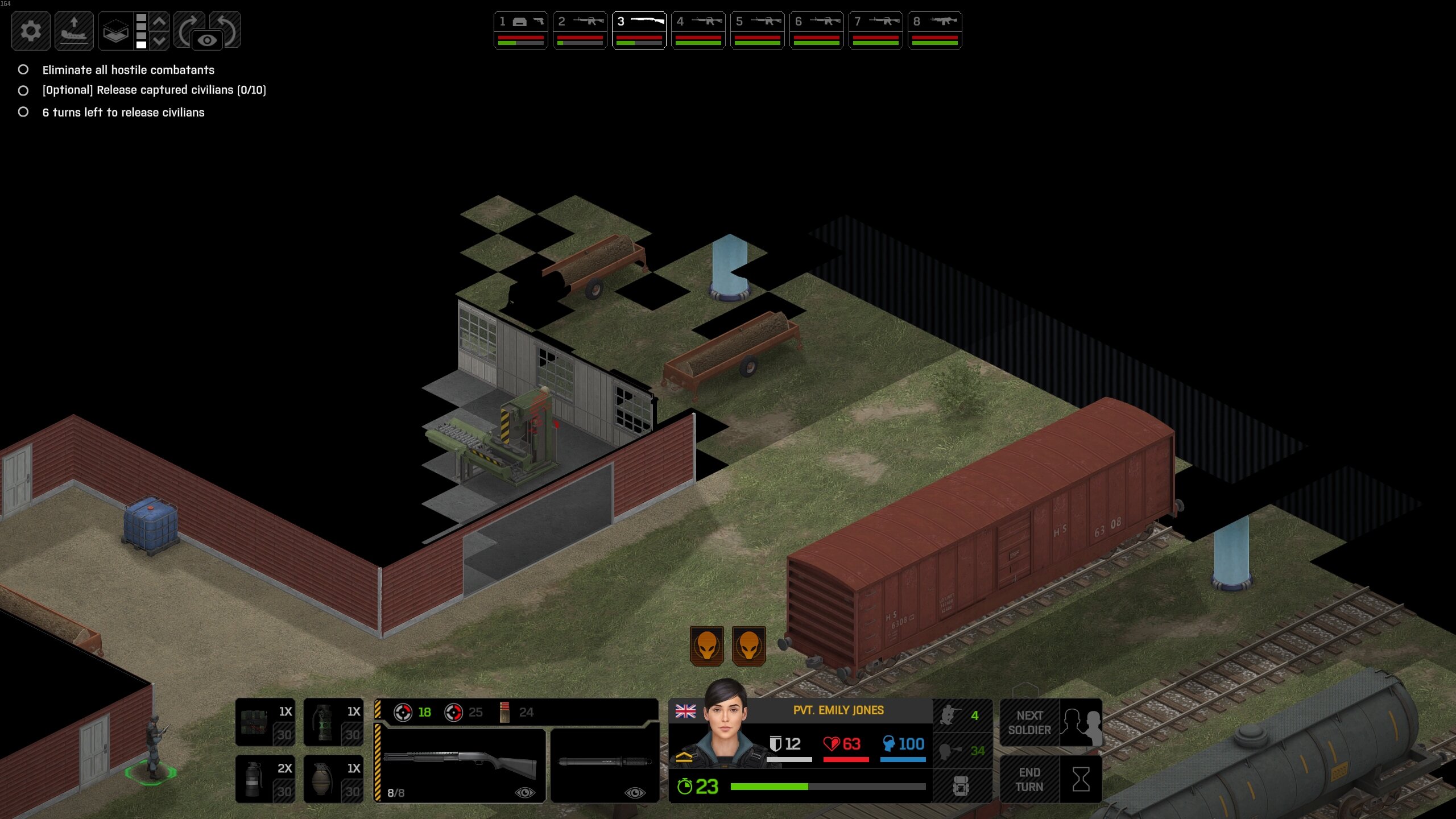
 Uff, this issue is still here in the latest non-experimental version.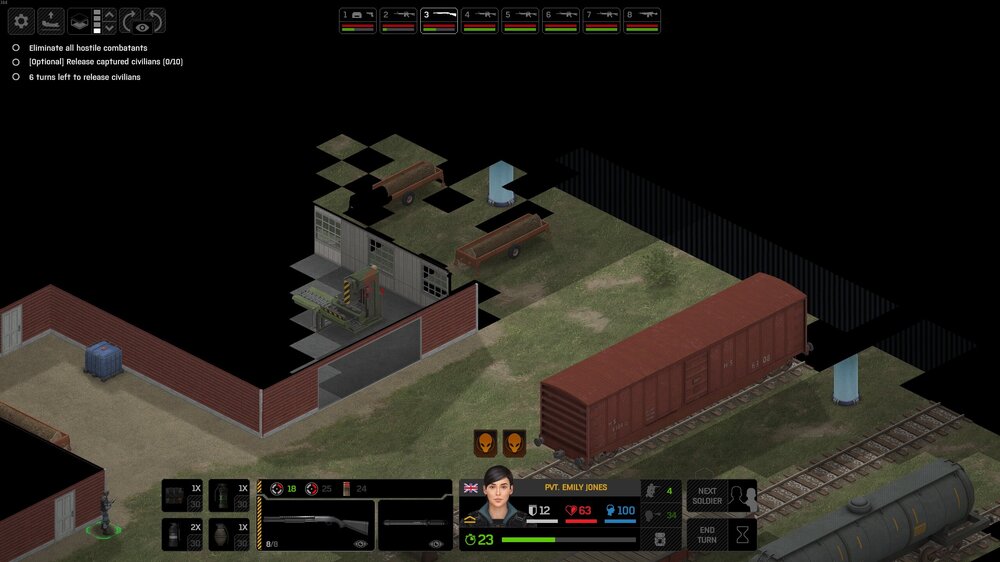
-
I appreciate all the efforts to add some gameplay variation to the game. I do wonder if something could also be done to the existing mission types to make them stand out more, as one bespoke mission sequence can only help so much... Not sure how much coding would it require to add some new gameplay rules for existing mission types like alien bases or terror site missions, but those could be spiced up with some additional objectives or rules. Also, I could remember wrong, but are we getting alien abduction missions later in the game or are they dropped too after Phase 1? Additional nonsense while I'm at it: About the current mission types that are left unused after phase 1: VIP elimination mission type would be a perfect way to add some player agency to killing infiltrators. I would also love to ambush alien convoys and rescuing soldiers from small alien outposts could also make at least some sense. Good luck making the DLCs!
-
If it's something that is relatively quick to add, I would gladly welcome this as a difficulty toggle in some future patch or DLC.
-
Any idea how feasible it would be to make an Android/IOS port?
-
Now that I've finished the game for a third and final time (for now), it's time to give some final words. Xenonauts 2 is a a great game and I Iove it and Goldhawk for making it. It's far from perfect though. First third of the game is pure 10 out of 10 perfection, but the further the game progresses, the more it just loses it's charm, and by the end of it, it's a 7/10 at most. Progression, pacing, polish and balance just drops from mid-game towards the end and I always seem to lose my intrest at latter parts of the game. It's also disappointing to still see all the visual issues being present in the endgame part 1 mission. The slanted walls are not revealed correctly and destroyed walls are all black. It's frustrating to see all these issues I've reported like 12 months ago still being there. :/ That said, I'm eagerly waiting for the official modding tools, mods and upcoming DLC's! And maybe even map editor. Who knows?! I really hope the launch was great for GH and you get the opportunity to really polish the shit out of this game and improve the late game pacing/balance. As I've said years ago, the game has amazing potential to be a game of forever for me, a classic that can only get better the more content you are able to put there. Now, after like 10 years of almost daily following, I'm gonna take a short break from Xenonauts. See you after the summer guys and take care! Edit: I just want to underline the fact that all the critisism I've given now and over the years are all just because I care about the game a lot and I wanted it to succeed!
-
One more thing I forgot to mention. Late game UFO maps are just way too large for their own good. You've already played a dozen or so crash sites at the point you start downing harvesters and Battleships. Those maps are just colossal and at least for me, break the post UUO pacing just as I'd want the game to pick up the pace towards it's climax. I would really suggest cropping those larger UFO maps to just consist the dropship, a tiny bit of scenery and the UFO, chock full of high level aliens. I remember X1 beta having the same issue and Chris decided to cut them smaller just before the launch.
-
New playthrough and I just completed the UUO sabotage mission again. It's incredbly easy to sabotage the data terminals in just a few turns. I think I had 4 turns left before reinfoecements would have started to arrive. 12 high level units with ~100 TUs can move so fast it makes the mission almost trivial. To make it more challenging, either move the terminals further away from the starting position, shorten the reinforcemet time, add more enemies or make the sabotaging action take a turn or two so it ties the unit for a while. This beautiful setpiece is one of the coolest missions in the game and a clear thematic highlight so it's a bummer it doesn't provide enough of a gameplay challenge. These end game missions should really require some sacrifises to make them feel like a huge hurdle towards winning the war.
-
Hey! I had a blast playing 1.0 with tons of memorable situations and fun missions. That said, the game does lose some of it's lustre towards the end, not gonna lie. One major balance issue I'm having is that I'm not properly challenged after day ~220 forward. Nothing is pressuring me to complete the UUO missions and I can just wait and focus on making my assault team even more OP, just clicking and auto resolving UFOs. At that phase of the game I should really feel the alien campaign ramping up and starting to get a proper stranglehold of earth. Multiple alien bases around the globe, UUO strikes getting more and more frequent with higher panic damage, terror strikes and reapers swooping whole cities. Currently I'm just skipping single terror missions and letting alien bases be while waiting for my next tech upgrade... and with nano fabricator, $7 million in bank and super effective, supporter boosted nano-workshops, I can easily generate unlimited exotic materials and skip all the crash site missions. I reached operation endgame with only 2 bases. One with 3 geminis and one with 3 phantoms. That was all I needed and I went with pretty much 0 panic around the globe. It was easy to down even a battleship with just 3 phantoms. I didn't need mind shield, didn't even research it. Didn't use focus mind. Didn't have a single mind control where I wasn't able to kill the controller immediately. Stalker armour felt weak and enemies one shotted my snipers from long distances. Weapon tech tiers felt like there was maybe one too many. As I only needed to complete maybe 3 tactical missions between starting to research UUO and Operation ENDGAME), the gauss tech felt a bit unnecessary step before fusion, especially as there's so few missions I felt I needed to complete. I wish I had more combat against eternals. All 2 contacts I had against them before endgame were over before they had time to do anything. The tactical gameplay starts to get a bit stale from day 200> as aliens struggle to keep up with the player. Regular gunplay is a bit "been there, done that" at that point of the game and at least for me the challenge just isn't there any more. And then the tactical missions start to become quite one note and stale. (Even if the first third of the game offered a nice challenge) So adding more and tougher mind control gameplay would make aliens feel threatening again and add new gameplay challenges where my 100+ TU, high acc, high hp soldiers would need to adapt. As aliens level up, they should all get a new ability towards the end game. Currently they just receive more stats, which doesn't add much as the player progresses at ~same pace. Only exception are psyons that get mind control, which would be perfect if it was more potent. Maybe mind control needs squad view and longer control time? Other 2 main races need similar new mechanics to keep the player on their toes as the game progresses. Later wraith could have teleport + better invisibity cloak and sebillian could have shields and symbiote grenades. So TLDR, more mid-game panic, scarier UUO, evolving challenge, more mind control, tougher mind control, more eternals, tougher eternals. Tougher final battle, tougher high eternal with some unique twist that makes me adapt. Now I can just rush in and shoot it dead. Tougher TOP3 UFOs.
-
Advanced medkit doesn't have a sound effect tied to using it.
-
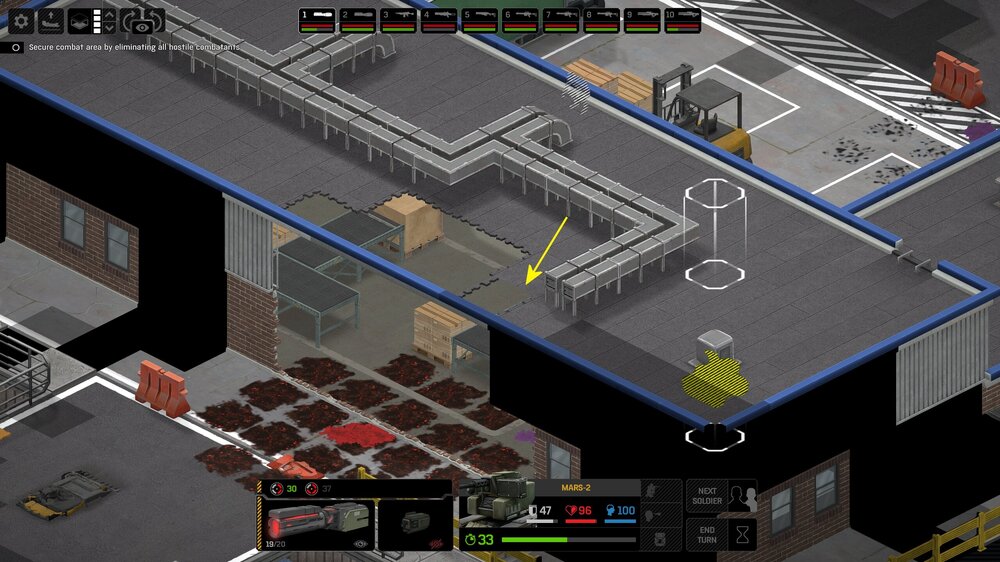
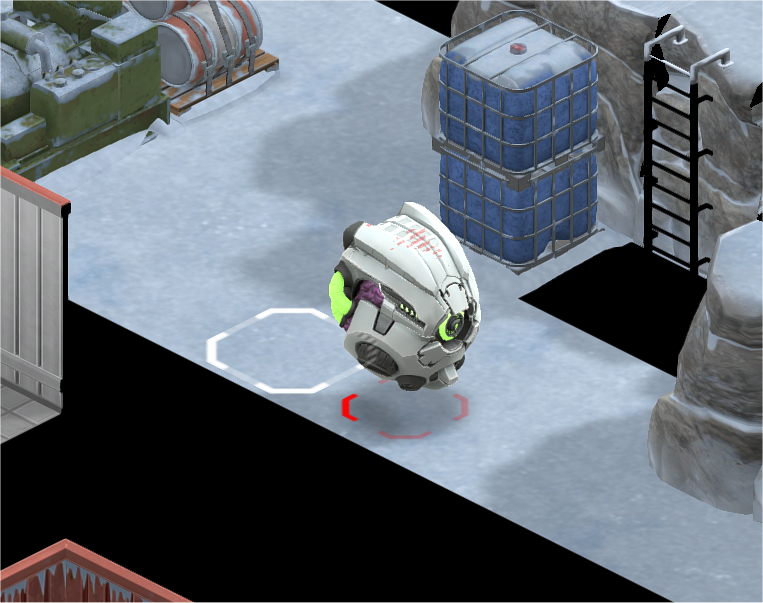
There is a hull part on top of the Advanced Cyberdrone that has this see-through red striped effect.
-
[QoL Suggestion] Highlight tops of doors
Skitso replied to LeftyRighty's topic in Xenonauts-2 General Discussion
ATLAS base blast doors are seen from both sides. I wonder if that's a bug actually, but what if all the doors worked like that? -
No customization ? Is that some kind of joke ?
Skitso replied to grumpy's topic in Xenonauts-2 General Discussion
Agree. That said, some limited customisation in some future (paid) DLC would be welcome! -
I would: Increase UUO orbital strike panic damage to 20 global + extra 15 to the target region UFOs that are left flying around should generate a lot more anomalies/panic. Some UFO missions should be able to kill supoorters too. Alien bases should be more important: they should be more numerous, harder to find and they should be a LOT more difficult to clear. They should be like a tier more advanced than the player is so it would be really tough to clear immediately and would require proper planning and gearing up. Bases should cause more panic, kill supporters, generate more infiltrators and anomalies around them and spawn extra UFO missions in it's region. It'd be cool to see all the increased regional alien activity and then send planes to scout area to find the base.
-
I've played to day ~280 now and I fully agree. I can skip terror missions and manage panic with ease - even with only 2 bases with 3 planes eacb, while letting lot's of UFOs run amok around the globe, even the UUO orbit shots give me no worries. No pressure, no hurry, no dread.
-
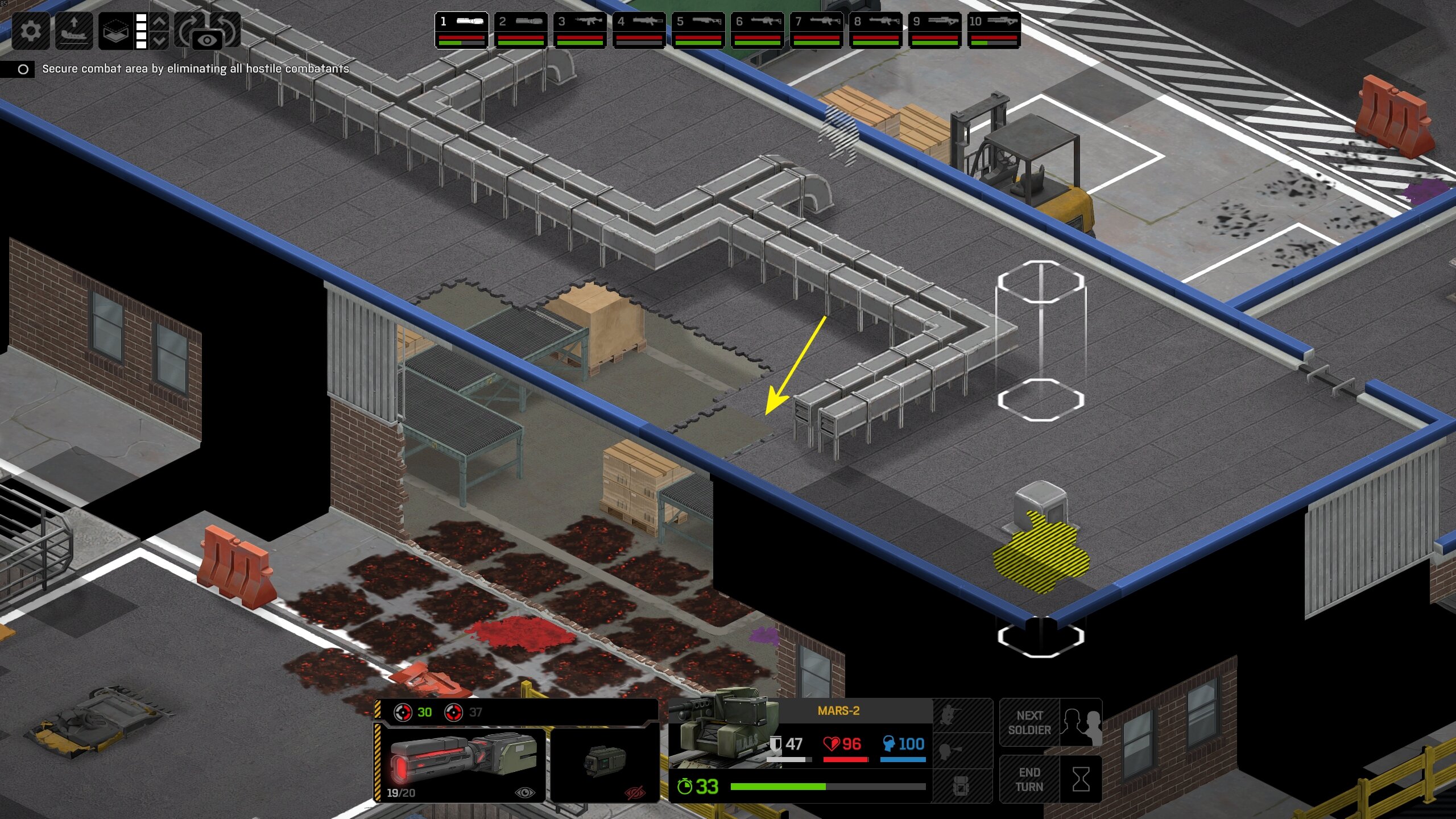
Roof destruction frills have some minor displacement issues